
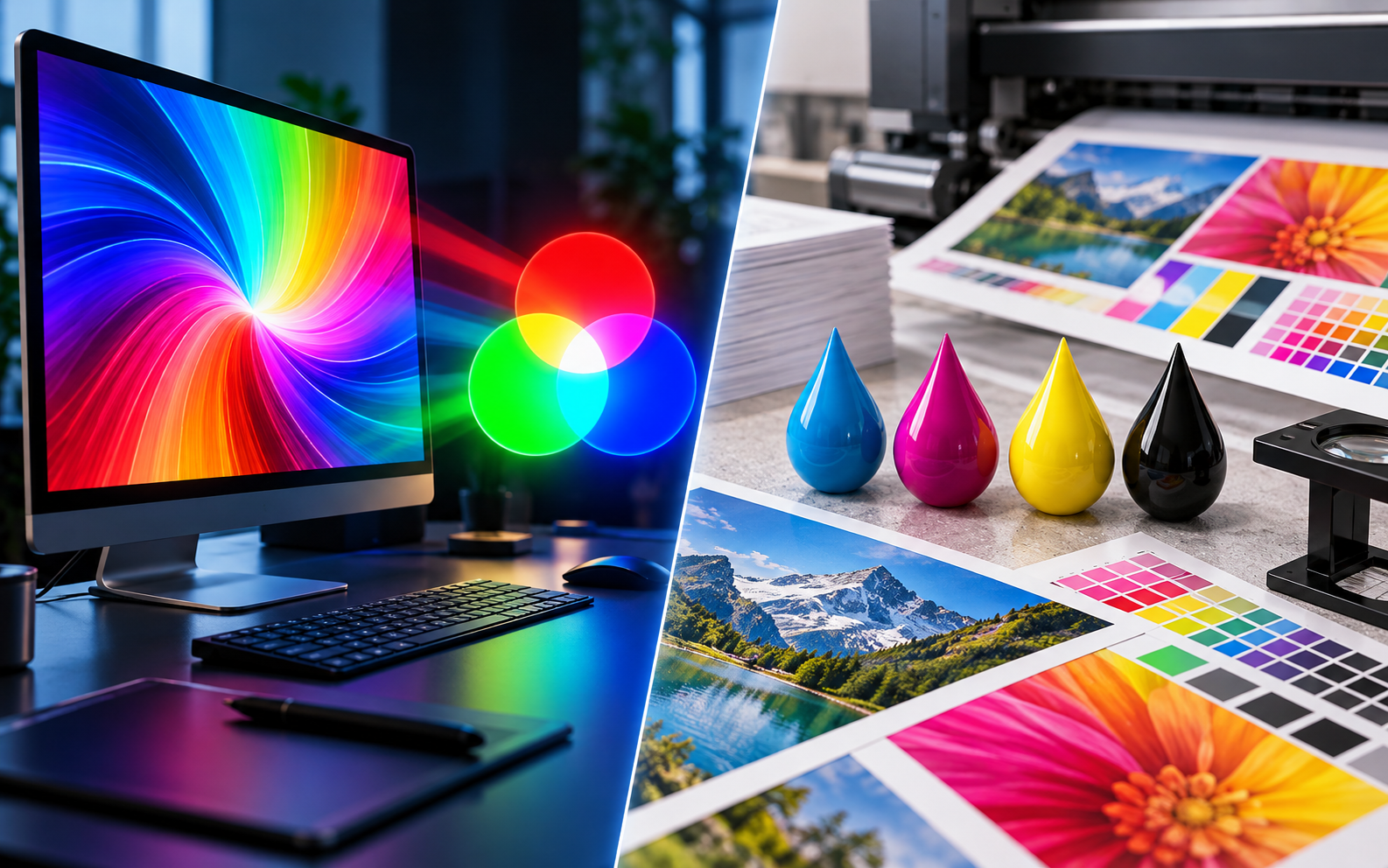
Choosing between CMYK vs RGB for printing can significantly affect the appearance of your finished design. Whether you’re preparing a business card, brochure, poster, or large-format banner, understanding how these two colour modes work helps prevent unexpected changes in brightness, saturation, and overall print quality.
The fundamental difference is that RGB creates colours using light, while CMYK reproduces them using ink. Although both systems can represent millions of colour combinations, they do not reproduce the same range of visible colours. This distinction matters whenever digital artwork is transferred from a screen to a physical surface.
At Graphic Arts 305, we understand the importance of accurate colour reproduction for business branding and marketing materials. This guide explains the technical differences between RGB and CMYK, how to select the right color mode, when conversion is necessary, and how to prepare professional files for printing.
1. RGB vs CMYK: What’s the Difference Between These Colour Models?
The difference between RGB and CMYK begins with how each system creates visible colours. RGB is designed primarily for devices that emit light, while CMYK is a subtractive system associated with printing inks and reflective surfaces.
RGB stands for red, green, and blue. These are the primary colors used by the RGB model, where different intensities of light combine to create the final colour. When red, green, and blue light are combined at their maximum levels, they produce white. When all three are absent, the result is black.
CMYK stands for cyan, magenta, yellow, and key (black). Unlike RGB, which adds light, CMYK relies on inks that absorb particular wavelengths and reflect others. CMYK is a subtractive colour model, meaning that combining inks generally reduces the amount of light reflected by the paper.
These different methods explain why a vivid digital design may look different after production. A monitor can display certain bright colours that conventional process inks cannot reproduce on a particular substrate.
RGB and CMYK Color Modes Compared
| Feature | RGB | CMYK |
|---|---|---|
| Full name | Red, Green, Blue | Cyan, Magenta, Yellow, Key |
| Colour model | Additive | Subtractive |
| How it works | Combines emitted light | Combines printed inks |
| Main applications | Screens and digital media | Commercial print production |
| White | Maximum light intensity | Usually unprinted white paper |
| Black | Absence of light | Black ink and/or process ink combinations |
| Gamut | Depends on the RGB space | Depends on the printing condition |
| Common formats | JPG, PNG, RGB TIFF | Print PDFs, CMYK TIFF |
Knowing the difference between RGB and CMYK helps designers anticipate potential colour changes before sending artwork to production.
2. What Is RGB Color Mode and Why Is It Used for Digital Design?
The RGB color mode is widely used for websites, smartphones, computers, digital photography, and television displays. It creates colour through combinations of red, green, and blue light.
In a standard 8-bit RGB file, each channel contains values from 0 to 255. For example, pure red is represented by R:255, G:0, B:0. Changing these values generates different colours.
RGB is an additive colour model because increasing light intensity makes the combined output brighter. This is fundamentally different from depositing ink onto paper.
Why Does RGB Look Brighter?
Screens produce their own light, allowing them to display vivid colours that may be difficult to reproduce physically. Electric blues, highly saturated greens, and some bright oranges are common examples.
However, the statement that RGB has a wider gamut than CMYK requires context. Different RGB colour spaces have different capabilities, and certain printed colours can fall outside a particular RGB gamut.
Common RGB spaces include sRGB, Adobe RGB, and Display P3. Each defines a particular range of reproducible colours.
For web graphics, sRGB is generally a practical default color space because of its broad compatibility.
For professional photographic workflows, wider-gamut RGB spaces can preserve additional colour information when supported by the software and output equipment.
Learning about RGB is especially useful when artwork will appear across multiple channels, including websites, online advertisements, and physical marketing products.
3. CMYK Explained: How Does the CMYK Color Mode Work?
CMYK printing uses four process inks to create images and graphics on physical materials. The system is widely associated with offset presses, commercial production equipment, and other printing technologies.
The cyan, magenta, and yellow components are combined with black ink to reproduce a broad range of tones. Black is included because combining the three chromatic process inks does not produce a perfectly neutral, economical, or consistently sharp black in practical printing.
The CMYK color mode describes each ink channel using percentages, commonly from 0% to 100%.
For example, a particular blue might use high cyan values, moderate magenta values, and relatively small amounts of yellow and black.
The resulting appearance depends on the inks, substrate, printing conditions, and colour management settings.
Why Are CMYK Values Important?
CMYK values define the proportions of inks in a particular separation, but identical numerical percentages do not guarantee identical visual results across different printing systems.
A design produced on coated paper can appear different when printed on uncoated stock because the paper changes how ink spreads and reflects light.
The same principle applies to vinyl, fabric, and rigid advertising materials.
That is why colour profiles and production specifications are essential. They connect numerical values with an expected printing condition.
CMYK is used extensively in commercial printing because it provides a practical method for separating artwork into process inks. Nevertheless, some modern printing devices use additional inks or automated conversion systems that extend beyond a conventional four-channel workflow.
4. Why Do RGB and CMYK Colours Look Different When Printed?
RGB and CMYK colour differences are especially noticeable when artwork contains highly saturated tones.
A digital display creates colour through emitted light, while a printed image depends on light reflected by inks and the underlying material. These physical differences affect brightness, contrast, saturation, and perceived colour.
Certain highly saturated digital colours may fall outside the CMYK gamut of a specific printing condition. When that happens, the software must map the original colour to a printable alternative.
The converted result may appear less vivid or shift slightly toward another hue.
What Happens During Colour Conversion?
Colour management software evaluates the original source profile and the destination printing profile.
It then calculates a reproduction appropriate for the destination gamut.
For colours that cannot be reproduced exactly, the conversion applies gamut-mapping rules.
A bright green might become less saturated, for example, while a particular shade of blue may shift in appearance.
These results depend on the profiles and conversion method rather than on the letters RGB or CMYK alone.
Professional proofing helps identify these differences before production.
For marketing projects, this is particularly important when logos, corporate identity systems, or product images contain colours that customers strongly associate with a brand.
5. Should You Use CMYK or RGB for Print Materials?
Choosing CMYK or RGB for print depends on the production method and the specifications provided by the printing company.
For many conventional offset printing projects, designers prepare artwork using the correct destination CMYK profile or export a colour-managed PDF according to the supplier’s instructions.
However, digital printing systems may accept RGB artwork and perform the necessary colour conversions through dedicated production software.
In some cases, submitting an RGB file with an embedded profile allows the printing system to preserve more useful colour information than converting prematurely to a generic CMYK profile.
The most reliable approach is to ask the printer which input format and colour specifications it prefers.
Recommended Modes for Common Projects
| Project | Recommended colour workflow |
|---|---|
| Business card | Supplier-specified CMYK or PDF workflow |
| Corporate brochure | Print-specific CMYK profile when required |
| Product catalogue | Colour-managed production workflow |
| Large-format banner | Printer-specified RGB or CMYK |
| Vehicle graphics | Output-specific colour management |
| Posters | RGB or CMYK according to production equipment |
| Digital advertisements | RGB |
| Website graphics | sRGB |
| Packaging | Process and/or spot-colour specifications |
Some companies prefer to work in RGB while editing photographs and create output-specific versions for different printed products.
Others design in CMYK from the beginning when the destination printing condition is already known.
Neither approach is universally superior. The correct workflow depends on the type of artwork, equipment, substrate, and production requirements.
6. How to Convert RGB to CMYK in Adobe Photoshop
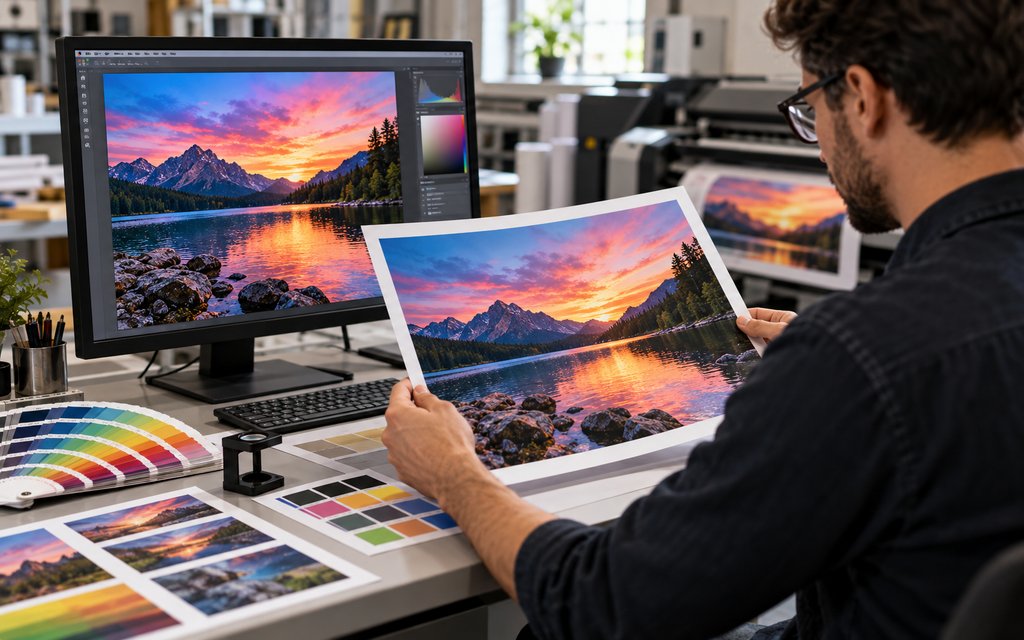
Adobe Photoshop includes professional colour management tools for converting images between different colour spaces.
Before changing a document’s settings, save a copy of the original RGB artwork. Keeping the source file allows you to create different output versions without repeatedly converting the same image.
Open the document and review its embedded profile. Then select Edit > Convert to Profile and choose the destination profile supplied by your printing company.
Avoid selecting an arbitrary CMYK profile simply because it is available in the software.
How to Change the Color Mode Correctly
For a controlled conversion, follow these steps:
- Open the original image and verify its source ICC profile.
- Save a separate copy for production.
- Open the Convert to Profile dialog.
- Select the destination CMYK profile required for the job.
- Choose the appropriate rendering intent and review the preview.
- Examine saturation, shadows, skin tones, and brand colours.
- Save the converted file using the required format.
The objective is not simply to change the color mode, but to preserve the intended appearance as closely as the output device allows.
Converting files to CMYK without considering the destination profile may cause unnecessary losses in colour saturation.
It is also important to understand the distinction between converting and assigning a profile. Conversion attempts to preserve the appearance of colours, while assigning a different profile changes how existing values are interpreted.
For colour-critical work, use soft proofing and request a physical proof before approving large production runs.
7. What Are ICC Colour Profiles and How Do They Improve Print Accuracy?
ICC profiles describe the colour characteristics of devices and standardized colour spaces.
They help software interpret image values and calculate conversions between different output conditions.
Without appropriate profiles, colour information may be interpreted inconsistently between devices.
For example, an RGB photograph created in Adobe RGB should generally retain its embedded profile when transferred to another application or professional printing workflow.
Removing that profile can introduce ambiguity about how its numerical values should appear.
Which Colour Profiles Are Common in Professional Printing?
Several profiles and characterization standards are commonly encountered in professional workflows.
sRGB is widely used for web graphics and general-purpose digital images.
Adobe RGB (1998) provides a broader gamut than sRGB in certain colour regions and is often used in photographic workflows.
GRACoL characterizations are associated with commercial printing conditions used extensively in North America.
FOGRA characterization data is commonly used in European prepress and print production environments.
The appropriate profile depends on the equipment, inks, and printing surface.
A generic CMYK profile intended for coated offset paper should not automatically be used for a wide-format inkjet printer producing graphics on adhesive film.
If you want to print accurately, follow the profile and export specifications supplied by the production provider.
For highly sensitive corporate branding, physical proofs may also be necessary to establish an approved colour reference.
8. Is RGB or CMYK Better for Digital Printing and Large-Format Graphics?
Digital printing has changed the way designers prepare production files.
Many modern inkjet and toner-based devices use advanced raster image processors, or RIPs, that manage colour conversions automatically.
These systems may accept RGB artwork and transform it according to calibrated printer settings, material profiles, and internal ink configurations.
Some wide-format printers use additional inks to reproduce colours that conventional four-colour output conditions cannot match.
Consequently, converting every RGB design into a generic CMYK format may reduce the potential quality of certain printed graphics.
What About Banner Printing, Posters, and Signs?
Large-format applications require special attention because the substrate strongly influences colour appearance.
Graphics printed on glossy adhesive film may look different from those produced on matte banner material.
Backlit displays introduce another variable because transmitted light affects how colour is perceived.
For vehicle wraps, exhibition displays, storefront signs, and commercial graphics, accurate colour reproduction depends on the complete printing workflow.
At Graphic Arts 305, we provide professional printing solutions for businesses that require coordinated branding across multiple materials.
Explore our custom banner printing services and other commercial printing solutions to learn more about the products available for your project.
9. How Can You Avoid Common CMYK and RGB Printing Problems?
Many unexpected printing results begin with incorrect artwork preparation.
A common error is designing on an uncalibrated monitor with excessive brightness. The finished material may appear darker because the screen displays a much brighter image than the printed surface can reproduce under ordinary lighting.
Another mistake is converting artwork into an unsuitable colour space without checking the printer’s specifications.
Designers may also assume that an exported PDF automatically contains all the settings required for professional reproduction.
In reality, print-ready files depend on appropriate dimensions, resolution, colour profiles, bleed, fonts, and other production details.
Common Colour Preparation Mistakes
| Problem | Possible consequence | Recommended solution |
|---|---|---|
| Missing ICC profile | Inconsistent colour interpretation | Embed the correct source profile |
| Wrong destination profile | Unwanted colour shifts | Confirm production specifications |
| Overly bright monitor | Dark-looking printed images | Calibrate and profile the display |
| Repeated colour conversion | Loss of colour information | Preserve the original artwork |
| Low-resolution images | Soft or pixelated graphics | Use suitable effective resolution |
| Unverified corporate colours | Brand inconsistency | Request an approved colour proof |
Another common issue involves black ink.
For small black text in conventional four-colour printing, using 100% black ink is frequently preferable to combining all four process inks.
Large solid black areas may benefit from a controlled rich-black mixture, but the appropriate formula depends on the printing condition.
Using excessive total ink coverage can lead to production problems, especially on absorbent paper.
These details illustrate why professional file preparation involves more than selecting a colour mode.
10. Why Choose Graphic Arts 305 for Professional Colour Printing in Miami?
Accurate colour reproduction is an important part of effective business communication.
A company’s brochures, signage, promotional displays, and printed advertisements should reflect a consistent visual identity.
Achieving that consistency requires suitable artwork, carefully selected materials, and a production workflow appropriate for each project.
Graphic Arts 305 is a professional printing company based in Miami Lakes, Florida, serving businesses and organizations throughout the surrounding Miami area.
With more than 25 years of experience in the graphic arts industry, we understand how design decisions affect the appearance of finished marketing products.
Our services include custom banners, commercial signage, posters, large-format graphics, and other printed materials for professional advertising and business communication.
Whether you’re preparing a trade show display, business advertising campaign, or customized promotional product, our team can discuss the technical specifications needed for your project.
We help customers navigate artwork preparation, material choices, and production requirements so their printed graphics are suitable for their intended application.
Professional Printing Starts With Proper File Preparation
Understanding whether to use CMYK or RGB is an essential part of preparing artwork, but it is only one element of professional production.
Image resolution, substrate selection, correct sizing, proofing, and finishing also influence the final result.
Working with an experienced printing provider helps ensure these details are evaluated together.
If you need assistance preparing artwork or selecting printed products for your next marketing campaign, contact Graphic Arts 305 for a personalized quote.
Frequently Asked Questions About CMYK vs RGB
What’s the difference between RGB and CMYK?
RGB uses combinations of emitted red, green, and blue light, while CMYK uses process inks to reproduce colours on physical surfaces. The two models have different capabilities and production applications.
Can I print in RGB?
Yes. Some professional digital printing systems accept correctly profiled RGB artwork and perform the appropriate conversion internally. Ask your provider about its recommended workflow.
Do I always need to convert RGB to CMYK?
No. Conversion is appropriate when required by the output specification, but automatic conversion to a generic profile is not always the best approach.
Is RGB better than CMYK for photographs?
RGB is often preferable for maintaining a master photographic file because it can preserve colour information for different outputs. The final preparation should match the destination printing conditions.
Can CMYK reproduce every colour visible on a monitor?
No. Certain saturated screen colours cannot be reproduced by a particular CMYK printing condition, although the available gamut varies with inks, materials, and printing technology.
Is CMYK necessary for a business card?
Many business card printers require CMYK artwork or a properly prepared PDF. Always review the specific supplier’s requirements before exporting.
How can I improve colour accuracy?
Calibrate your monitor, preserve embedded ICC profiles, choose appropriate destination settings, and request proofing when colour consistency is particularly important.
What should I ask my printing company before submitting files?
Ask which colour mode, profile, file format, resolution, bleed, and proofing options are recommended for your particular project.
Final Thoughts: Understanding CMYK vs RGB for Better Printing Results
Choosing the right colour mode is an important step in preparing artwork for professional production. The decision should reflect the intended printing process rather than relying on the assumption that one system is always better.
Here are the most important points to remember:
- RGB is an additive system based on red, green, and blue light, commonly used for digital screens.
- CMYK is a subtractive system based on cyan, magenta, yellow, and black inks.
- Different colour spaces and printing conditions reproduce different ranges of colours.
- Some bright RGB colours cannot be reproduced accurately using conventional four-colour printing.
- Converting artwork to an unsuitable destination profile can cause unnecessary colour changes.
- Modern printing systems may accept RGB files and handle conversion through dedicated colour management software.
- Embedded ICC profiles help preserve consistent colour interpretation.
- Monitor calibration, soft proofing, and physical proofs can improve predictability.
- Professional file preparation should consider resolution, colour settings, materials, and finishing requirements.
At Graphic Arts 305, we help businesses transform their creative artwork into professional printed products that support branding, marketing, and commercial communication.
Need professional printing services in Miami?
Contact our team to discuss your project and request a customized quote.
Graphic Arts 305
14545 NW 60th Ave B, Miami Lakes, FL 33014
Phone: +1 (305) 850-0027
Email: sales@graphicarts305.com
Website: https://graphicarts305.com/