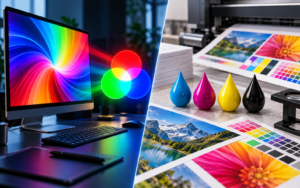
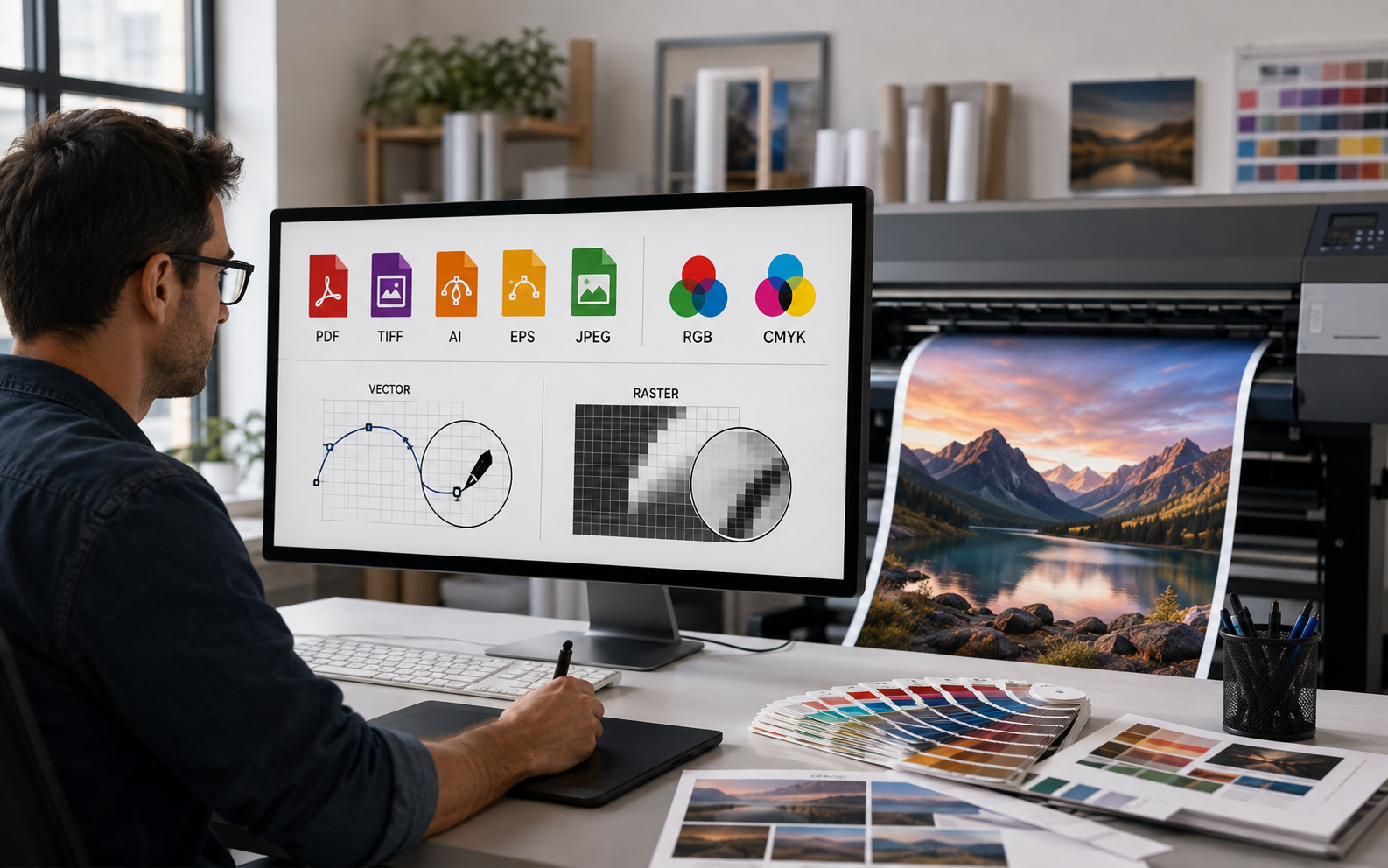
The best file format for large format printing is usually a properly prepared PDF, but that answer comes with an important qualification: there is no single format that is perfect for every large print application.
A banner containing photography, a storefront graphic built mostly from vector graphics, a trade show display, and a photographic wall mural may all require different file preparation decisions.
The key is not simply choosing a recognizable file type. You need to preserve the information that matters when artwork is enlarged to large sizes: vector elements, image resolution, fonts, color information, dimensions, and production instructions.
This guide explains the best format for common large-format applications, when to use PDF, TIFF, AI, EPS, JPEG, PSD, and other formats, how to determine the best resolution, and which best practices help prevent blurry images, unexpected colors, missing fonts, and poor print results.
If you are preparing files for large posters, banners, wall graphics, storefront signs, vehicle graphics, or trade show displays, this guide will help you send your printer a cleaner, more production-ready file.
Article Outline
- What is the best file format for large format printing?
- Why is PDF the most common file format for large-format printing?
- When should you use TIFF, JPEG, PSD, or other raster formats?
- Why are vector files important for large print projects?
- RGB or CMYK: which color mode should you use?
- What is the best resolution for large posters and oversized graphics?
- How should you prepare Illustrator, Photoshop, and InDesign files?
- How do file size, compression, fonts, and bleed affect production?
- What is the right file format for banners, wall wraps, signs, and displays?
- What best practices should you follow before sending files to a print shop?
1. What Is the Best File Format for Large Format Printing?
For most commercial applications, a properly exported PDF is the best file format because it can preserve both raster and vector information while keeping the layout relatively stable across different production systems.
That makes PDF especially useful when a print project combines photographs, logos, typography, line art, backgrounds, and other images and graphics.
A good PDF can preserve vector elements so they can scale to large sizes without losing quality, while raster photography remains embedded at the appropriate resolution.
This makes it much more versatile than simply converting an entire layout into a flattened JPEG.
However, choosing the right file format depends on the artwork itself.
If the project consists entirely of photography, a high-resolution TIFF may be appropriate. If it is primarily logos and illustrations, a vector file such as AI, EPS, or PDF can be more useful.
The strongest workflow is therefore not:
“Always use PDF.”
It is:
Use the file format that preserves the artwork correctly for the intended production process.
2. Why Is PDF the Most Common File Format for Large-Format Printing?
PDF has become a common file format in professional printing because it can package many important production elements into one document.
A PDF exported correctly can include:
- Vector graphics
- Raster photography
- Embedded font information
- Transparency
- Bleed
- Page dimensions
- Color profiles
- Trim information
That is especially useful in digital printing because the printer does not necessarily need access to the original editable design software to reproduce the layout correctly.
For example, artwork may originate in Adobe Illustrator, Photoshop, or InDesign, but the final production file can often be delivered as a PDF.
PDF standards such as PDF/X can also create more predictable print workflows.
Still, converting artwork to PDF does not automatically improve it.
If a low-resolution raster image is placed in Adobe Illustrator and then exported as a PDF, the image remains low resolution. The pdf exported file simply contains the same inadequate image information inside a different container.
This is one of the most important principles in file preparation: changing the extension does not create detail.
3. When Should You Use TIFF, JPEG, PSD, or Other Raster Formats?
Raster files are made from pixels, so their quality depends directly on resolution and final dimensions.
A TIFF is often a strong option for photographic artwork because it can preserve a great deal of image information and can use lossless compression.
TIFF can be useful for:
- Photographic wall murals
- Fine art reproductions
- Large photographic backdrops
- High-resolution image-based graphics
An uncompressed file or minimally compressed TIFF can retain excellent image quality, but these files can also become extremely large.
A TIFF prepared for a huge wall graphic may easily generate substantial file size, so production efficiency also matters.
What about JPEG?
A JPEG can work if the source image is genuinely high-resolution and has not been damaged by excessive compression.
The problem is that JPEG uses lossy compression. Repeated saving or aggressive compression may remove detail and create artifacts that become increasingly visible when you enlarge the image.
A small image file downloaded from a website may look acceptable on screen but become noticeably pixelated on a large print.
A high-quality JPEG generated directly from professional photography, however, may be perfectly usable.
What about PSD?
A Photoshop PSD is useful when the printer or prepress department needs access to layered artwork.
For example, a PSD may contain:
- Retouching layers
- Masks
- Adjustment layers
- Text
- Transparency
- Embedded smart objects
For final production, however, many print jobs are eventually converted into another format after the artwork has been checked.
What about PNG?
PNG is very useful for web graphics and transparent digital assets, but it is generally not the preferred print format for professional oversized production.
If you have access to an original PSD, TIFF, AI, EPS, or print-ready PDF, that original source usually gives the print shop more flexibility.
4. Why Are Vector Files Important for Large Print Projects?
The biggest advantage of vector artwork is scalability.
A raster image consists of pixels. Once those pixels are stretched beyond the resolution available in the file, the image can begin to lose quality.
A vector graphic works differently.
Instead of storing each visible point as a pixel, vector graphics describe shapes mathematically.
That means a vector logo can be enlarged dramatically without losing image sharpness.
Common vector formats include:
- AI
- EPS
- SVG in some workflows
For commercial printing, AI, PDF, and EPS files are among the most familiar.
Vector artwork is ideal for:
- Logos
- Typography
- Icons
- Geometric shapes
- Illustrations
- Line art
- Cut paths
This is why an original vector file is far better than sending a screenshot of a logo.
A screenshot may technically show the same logo, but it has converted scalable artwork into a finite grid of pixels.
If your printer needs to enlarge that screenshot onto a wall, vehicle, or storefront, the difference becomes obvious.
For artwork created in Adobe Illustrator, keep important vector elements intact whenever possible rather than rasterizing the whole design.
5. RGB or CMYK: Which Color Mode Should You Use?
One of the most common questions in printing is:
RGB or CMYK?
The traditional recommendation for commercial printing is CMYK, because the printing process generally uses combinations of cyan, magenta, yellow, and black inks.
An image prepared in CMYK color mode therefore represents colors differently from an RGB image displayed on a monitor.
However, modern wide-format workflows are more nuanced.
Large-format printers often use RIP software, ICC profiles, and sometimes expanded ink sets. Depending on the equipment and media, a production team may prefer to receive RGB artwork and allow the RIP to perform the final conversion.
That means blindly converting everything to CMYK is not always the best approach.
Ask your printer about their preferred color mode before finalizing the artwork.
This is especially important when the design contains saturated colors that may behave differently in print.
Why screen colors and print colors differ
RGB creates color with light.
CMYK reproduces color with ink.
As a result, some bright colors visible on a screen cannot be reproduced identically in print.
When converting colors in CMYK, certain blues, greens, reds, and oranges may shift.
The best professional workflow considers the output device, media, ink configuration, and profile rather than relying solely on what looks good on a monitor.
For color-critical projects, your print provider should guide the final resolution and color mode requirements.
6. What Is the Best Resolution for Large Posters and Oversized Graphics?
This is another area where oversimplified printing advice causes problems.
Many designers have been taught:
“Everything must be 300 dpi.”
That guideline is useful for small printed pieces such as a brochure that will be viewed up close.
It is not a universal requirement for oversized production.
A billboard viewed from a road does not need the same image density as a photograph viewed from 12 inches away.
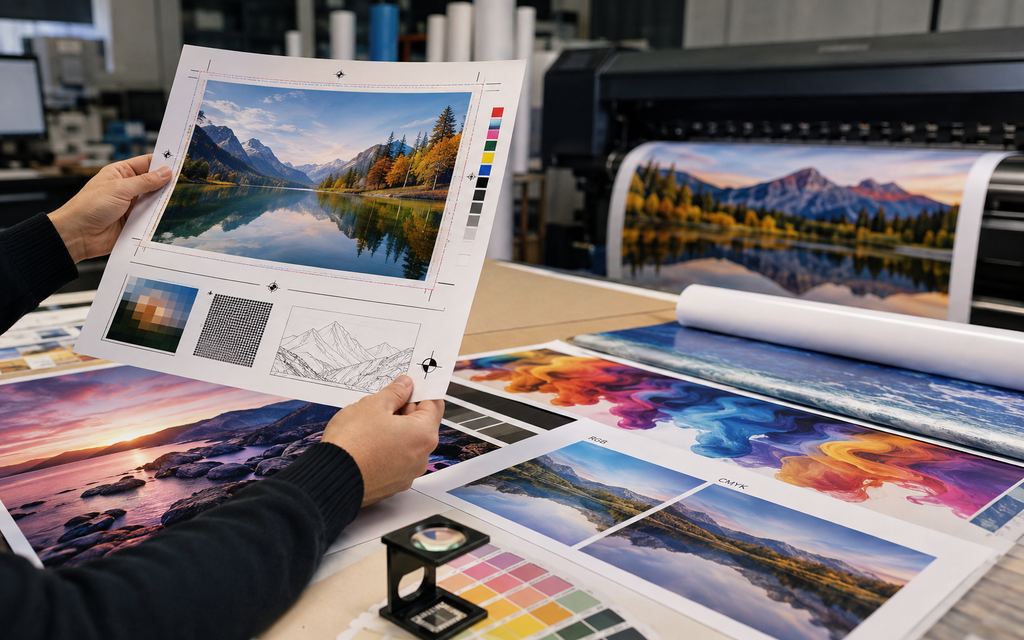
For raster artwork, resolution should be evaluated at the final print size.
A useful general reference is:
| Application | Typical Effective Resolution |
|---|---|
| Small graphics viewed closely | 200–300 PPI |
| Posters and indoor displays | 150–200 PPI |
| General large format graphics | 100–150 PPI |
| Large outdoor signage | 75–100 PPI |
| Graphics viewed from a distance | Sometimes below 75 PPI |
For many applications, 150 dpi or its effective equivalent can be sufficient.
In other cases, 300 dpi may still be appropriate.
The exact best resolution depends on viewing distance, material, printer technology, artwork content, and physical dimensions.
Technically, digital raster images are measured in pixels per inch, or PPI, while DPI refers to printer output resolution.
In everyday production language, the two terms are often used interchangeably.
The practical issue is whether the file contains enough pixel information at final dimensions.
7. How Should You Prepare Illustrator, Photoshop, and InDesign Files?
Different Adobe applications are designed for different kinds of artwork.
Illustrator
Adobe Illustrator is ideal for logos, typography, illustrations, signage layouts, icons, and vector-heavy designs.
When preparing your design in Illustrator:
Keep vector artwork as vector whenever possible.
Make sure external image links are included or embedded.
Verify font handling.
Check the scale.
Review any spot colors, transparency, or cut paths required for production.
Photoshop
Photoshop is best suited to photographic and pixel-based artwork.
When working with a raster image in Photoshop, evaluate the image dimensions and effective PPI before enlarging.
Simply typing a much larger size into Photoshop does not add authentic photographic detail.
Resampling can create additional pixel information mathematically, but depending on the source image, excessive enlargement can still produce softness or artificial detail.
InDesign
Adobe InDesign can be useful for layouts that combine typography, imported photographs, and multiple graphic elements.
Although InDesign is more commonly associated with documents, catalogs, and brochure production, it can also support some display layouts.
For final production, files are commonly exported to PDF.
Whether you design in Adobe Illustrator or Photoshop, the objective is the same: preserve the elements that need to stay sharp and provide enough information for everything that is raster-based.
8. How Do File Size, Compression, Fonts, and Bleed Affect Production?
A technically correct file can still cause production problems if basic setup details are ignored.
File size
Large artwork can produce extremely large files, but bigger does not always mean better.
A gigantic TIFF created at unnecessarily high resolution can slow transfers and production without producing a visible improvement in print quality.
The objective is not to create the biggest file possible.
It is to provide enough information for the intended output.
Compression
Compression should be handled carefully.
Lossless techniques can reduce file size while preserving the original information.
Lossy methods, particularly aggressive JPEG compression, may remove detail.
Do not excessively compress images simply to make uploading easier if those images need to be reproduced at very large dimensions.
Fonts
A missing font can completely change a layout.
Different production workflows may require you to:
- Embed the font
- Package the font
- Convert typography to outlines
- Supply an approved alternative
Do not assume every computer will have the same font installed.
Bleed
Bleed requirements vary by product.
A small printed piece may need only a small amount of bleed, while a wall wrap or installation graphic may require considerably more image area for trimming and positioning.
Ask for the production template before finishing the design whenever possible.
Good prepress begins before the artwork is completely finished.
9. What Is the Right File Format for Banners, Wall Wraps, Signs, and Displays?
There is no universal answer because different applications have different production demands.
Banners
For most banners, a print-ready PDF is an excellent option.
Maintain vector text and logos, and make sure photographs have enough effective resolution at final dimensions.
Large posters
For large posters, PDF or TIFF can work well depending on whether the artwork combines design elements or is primarily photographic.
Wall wraps
Wall graphics frequently combine photography and vector branding.
PDF, AI, or carefully prepared raster artwork may all work depending on the installation.
Large wall graphics are sometimes designed at a reduced scale, so the scaling ratio should be clearly communicated.
Window graphics
PDF or AI files are often practical, particularly when typography, logos, contours, or cut paths are involved.
Trade show graphics
Trade show displays commonly use a combination of photography and vector artwork, making PDF a practical final format.
Always use the manufacturer’s exact template where one is provided.
Signs
Vector-heavy PDF, AI, or TIFF or EPS may be appropriate depending on the sign design and fabrication process.
For signs containing crisp text and branding, maintaining vectors is particularly valuable.
Vehicle graphics
Vehicle wraps require more than just the correct file extension.
Vehicle templates, scaling, panel placement, bleed, and installation tolerances all influence file preparation.
If a project requires complex finishing or contour cutting, the production team may also request specific layers or paths.
10. What Best Practices Should You Follow Before Sending Files to a Print Shop?
The best production results usually come from getting the artwork right before printing rather than trying to repair problems afterward.
Use these best practices before sending a project:
- Confirm the final dimensions.
- Confirm whether the artwork is built at full size or reduced scale.
- Keep logos and typography as vector graphics whenever possible.
- Check every raster image at final effective resolution.
- Do not assume every job requires 300 dpi.
- Confirm whether the printer prefers RGB or CMYK.
- Include the correct bleed.
- Keep important content inside safe areas.
- Verify font handling.
- Include linked files where required.
- Avoid unnecessary JPEG compression.
- Review transparency and effects.
- Verify cut paths and finishing instructions.
- Open the final production file and inspect it at high zoom.
- Ask the print shop for specifications before submitting unusual projects.
One of the most useful habits when preparing files is to send the original artwork when there is uncertainty.
A production team may be able to work more effectively from a source AI or PSD than from a damaged file that has already been flattened, compressed, converted, and resized several times.
Choosing the Right File Format Is Only Part of the Process
It is tempting to think that choosing PDF, TIFF, EPS, or another print format will determine the final result.
It won’t.
A flawless PDF can contain a terrible image.
A high-quality JPEG can sometimes print beautifully.
An Illustrator file can contain a low-resolution photograph.
An uncompressed TIFF can still be too small for its intended dimensions.
Professional large-format printing depends on the entire chain:
original artwork → format → scale → raster and vector content → resolution → color management → RIP → printer → ink → material → finishing → installation
That is why choosing the right file format should always be combined with proper artwork preparation.
The goal is not simply to deliver a file that opens.
The goal is to deliver a file that reproduces correctly.
Need Help Preparing Files for Large Format Printing in Miami?
If you’re preparing a banner, storefront graphic, wall wrap, trade show display, window graphic, event backdrop, sign, or another large-format printing project, you should not have to guess whether your artwork is production-ready.
Graphic Arts 305 provides professional digital printing and large format production for businesses, events, brands, and organizations in Miami.
If you’re unsure whether your design should be delivered as PDF, TIFF, JPEG, PSD, AI, or EPS, send the highest-quality original artwork available rather than converting it repeatedly.
Our production team can evaluate the file and determine the most appropriate workflow for the material, dimensions, viewing distance, and application.
Key Things to Remember
- PDF is usually the best general-purpose format for professional oversized graphics because it can preserve both raster and vector information.
- TIFF is useful for photographic artwork and high-quality raster files.
- AI and EPS are excellent when logos, typography, illustrations, or other scalable elements are important.
- A file extension alone does not guarantee quality.
- Low-resolution artwork will remain low resolution even after converting it to PDF.
- Do not automatically assume every project requires 300 dpi.
- Resolution should be evaluated at the actual output size and expected viewing distance.
- Ask your production provider whether they prefer RGB or CMYK instead of making unnecessary color conversions.
- Keep original vector elements whenever possible.
- Avoid excessive compression.
- Check bleed, fonts, dimensions, links, and production instructions before submitting the job.
- The right file format depends on both the artwork and how the finished graphic will be printed and installed.
Planning a large format project in Miami? Contact Graphic Arts 305 and get a free quote today.